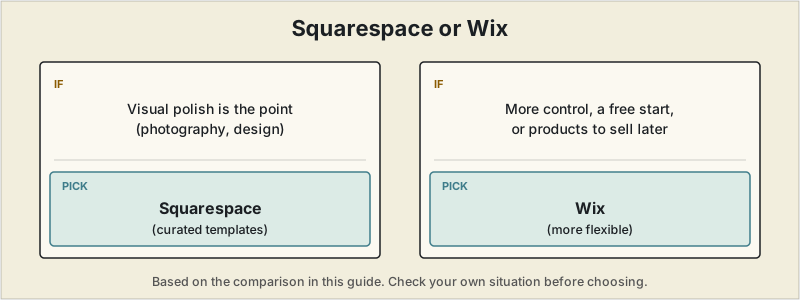
Short answer: if visual polish is the main point, as with photography or design, Squarespace's curated templates are the more consistent choice. If you want more customization control, a genuine free option to start with, or products to sell later, Wix's flexibility is worth the steeper learning curve.
 Squarespace and Wix together power more than half of all websites built on a website builder, and they're the two options freelancers, artists, and other independent creatives researching a portfolio site compare most often. Both are genuinely capable — the real difference for a portfolio specifically comes down to a trade-off between Squarespace's curated design polish and Wix's much larger template library and flexibility.
The core difference
Squarespace ships a smaller number of templates (roughly 190-199) that are consistently rated as more professionally designed out of the box — less decision fatigue, and a portfolio that looks considered with comparatively little customization effort. Wix offers a dramatically larger library (2,000-2,700+ templates) with deeper customization and a genuine free-forever plan, at the cost of more decisions to make and, according to some reviewers, an editor that can feel more overwhelming to a first-time user.
Quick comparison
| Squarespace | Wix | |
|---|---|---|
| Templates | ~190-199, curated and design-forward | 2,000-2,700+, broader range |
| Free plan | No — 14-day trial only | Yes, free-forever (with ads and a Wix subdomain) |
| Starting paid price | ~$16-17/month | ~$17/month |
| Portfolio-specific verdict (independent testing) | Frequently rated the stronger choice specifically for design-led portfolios | Rated more flexible and feature-rich overall, less consistently "portfolio-first" |
| Customization depth | More limited, template-constrained | Deeper — closer to full design control |
| E-commerce and marketing tools | Solid, tightly integrated | Generally rated stronger, especially for e-commerce |
Where Squarespace wins
Independent testing that specifically evaluates portfolio use cases keeps landing in the same place: Squarespace's design-focused templates produce more visually striking portfolios with less effort, particularly for photography and other image-heavy work — the platform's gallery layouts, image handling, and typography are tailored toward creative professionals rather than general-purpose business sites. For a freelancer whose main goal is a portfolio that looks professionally designed without spending days on customization, that curated starting point is worth the trade-off in template variety.
Where Wix wins
Wix's free-forever plan (with ads and a Wix-branded subdomain) is a real, no-cost way to get a portfolio live and test the idea before paying anything — Squarespace requires upgrading after a 14-day trial with no free tier at all. Wix also offers meaningfully deeper customization for freelancers who want more control than a template constrains them to, plus a larger app marketplace and generally stronger e-commerce tools if selling templates, presets, or products alongside your portfolio is part of the plan.
A detail worth checking before you commit
Templates on both platforms are difficult or impossible to fully swap once your site is live without significant rebuilding — pick based on the design direction you actually want long-term, not just what looks good in a quick browse, since switching later means largely starting over rather than a simple settings change.
A first portfolio site once ate more than five days — a homepage, a bio page, a full project list, a services page, a contact form, cycling through templates and fonts and image crops with no real client outreach happening in parallel. Showing the finished result to a friend produced one blunt, useful reaction: it wasn't obvious within the first ten seconds what kind of work the site's owner actually did. The polish wasn't the problem — clarity was. Rebuilding around a single, specific line ("Freelance content strategist for B2B software companies"), three portfolio pieces instead of a dozen, and one prominent contact button, on a simpler builder, took half a day instead of five. Response rates from outreach afterward went up, not down. A portfolio site isn't a design showcase — it's a sales document, and the goal isn't finishing it, it's making a stranger think "I should reach out to this person" within a few seconds of landing on it.
How to choose
If the portfolio's visual polish is the main point — photography, design, or other heavily visual creative work — Squarespace's curated templates are the more consistent choice across independent testing. If you want more customization control, a genuine free option to start with no cost, or you'll eventually sell products alongside your portfolio, Wix's flexibility and larger free tier are worth the slightly steeper learning curve. For other portfolio-building approaches, including the fastest and cheapest options, see our full website builder comparison.
Pricing, templates, and features for both platforms change frequently. Confirm current details directly on each provider's site before choosing.