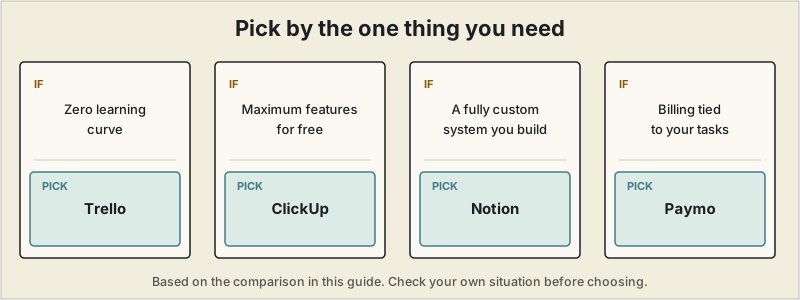
Short answer: pick by the one thing you need: Trello for no learning curve, ClickUp for the most features for free, Notion for a fully custom system you don't mind building, or Paymo if you want billing connected to your tasks.
 Most project management software is built for teams — priced per seat, designed around permissions and approvals you don't need when you're the only person doing the work. This guide focuses only on tools with free plans that are actually usable for a one-person freelance business, not stripped-down trials disguised as free tiers.
What a solo freelancer actually needs
Unlike a team tool, a freelancer's project management setup mainly needs to:
- Track tasks and deadlines across several active clients at once
- Give clients some visibility into progress without a complicated setup
- Ideally connect to time tracking or invoicing, since billing is where most PM tools fall short for solo users
- Stay usable without a steep learning curve, since you don't have onboarding time to spare
Quick comparison
| Tool | Free plan limits | Best for | Time tracking? | Invoicing? |
|---|---|---|---|---|
| Notion | Unlimited pages/blocks (1 user) | Fully custom client workspace | No, needs setup | No |
| Trello | Unlimited cards, 10 boards | Visual, zero learning curve | No | No |
| ClickUp | Unlimited tasks, 60MB total storage | Feature-dense free plan | Yes | No |
| Asana | Unlimited tasks/projects, 15 collaborators | Structured multi-project tracking | No | No |
| Teamwork | 5 users, 2 active projects | Built-in time tracking free | Yes | No |
| Paymo | 2 active projects, 1 client | Real invoicing on a free plan | Yes | Yes |
Notion — most flexible, most setup required ✓ Actually used to run SoloStack
Notion's free plan gives a single user unlimited pages and blocks, which is enough to build a client CRM, project tracker, and content calendar in one workspace. The trade-off is that Notion is a blank canvas — there's no dedicated project management structure out of the box, no built-in time tracking, and no native invoicing. You either build your own system from templates or use one of the many free freelance-specific Notion templates available online.
Best for: freelancers who want one tool to replace notes, a CRM, and task tracking, and don't mind spending a weekend setting it up.
Trello — fastest to start using
Trello's kanban-board interface has essentially no learning curve. The free plan includes unlimited cards and up to 10 boards per workspace, which comfortably covers 3–5 active clients. Its limitation is that it's a task tracker, not a full freelance workflow tool — no time tracking, no invoicing, no client portal — so you'll likely pair it with separate billing software.
Best for: freelancers who want simple visual task tracking and already have separate invoicing tools.
ClickUp — most features on a free plan
ClickUp's free tier is unusually generous for a commercial tool: unlimited tasks and users, multiple project views (list, board, calendar, Gantt), and built-in time tracking. The catch is a 60MB total storage cap across your entire workspace — not per project — which fills up fast if you're attaching files regularly. The interface is also denser than Trello's, with more of a learning curve.
Best for: freelancers who want the most functionality possible without paying, and don't need to store large files inside the tool.
Asana — best for structured multi-project tracking
Asana's free plan is more generous than many freelancers expect: unlimited tasks and projects, up to 15 collaborators, and list, board, and calendar views included. It's designed with team coordination in mind, so some features go unused for solo work, but the structured views are genuinely useful once you're juggling five or six active client projects with different deadlines.
Best for: freelancers managing multiple concurrent projects who want clear list and timeline views.
Teamwork and Paymo — the two with built-in billing
Most free PM tools stop at task tracking. Teamwork and Paymo are exceptions, bundling time tracking (and in Paymo's case, real invoicing) into their free tiers. Both come with tighter limits — Teamwork caps you at 2 active projects, Paymo at 2 active projects and 1 client — which makes them better suited to freelancers just starting out, or those who want to trial a connected workflow before paying for a more complete platform.
Best for: freelancers who specifically want time tracking and billing connected to project tracking, even at a limited scale.
How to choose
If you only need one thing, start there:
- Zero learning curve → Trello
- Maximum features for free → ClickUp
- A fully custom system you don't mind building → Notion
- Billing connected to tasks, even in a limited free plan → Paymo
Most solo freelancers outgrow at least one limit within six months — Trello's 10-board cap, ClickUp's storage, or Asana's collaborator count. That's a normal point to reassess, not a sign you picked the wrong tool to start with.
Pricing, storage limits, and free-tier features change frequently. Confirm current details directly on each provider's site before committing to a workflow.